New Relic In-App Help Experience
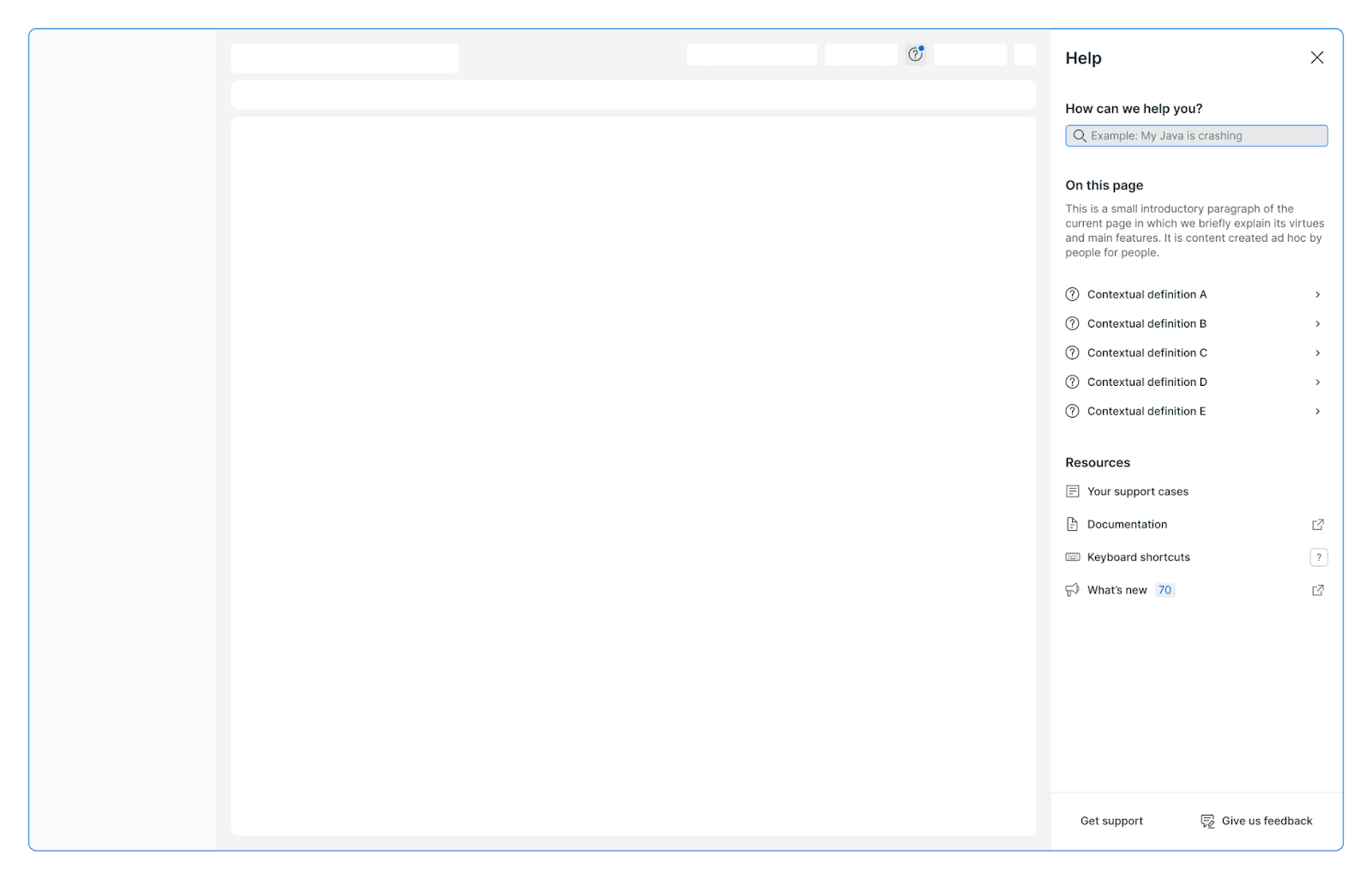
The New Relic Help Experience delivers contextual documentation and support directly within the product UI, enabling users to find answers and complete tasks without leaving their workflow.
 Loading image...
What is the Help Experience?
The Help Experience is an in-product assistance system that provides:
- Documentation access: Browse and search help articles relevant to your current view
- Support integration: View your support cases and create new ones
- AI-powered assistance: Get intelligent responses through New Relic AI integration
- Feedback collection: Submit product feedback directly from the UI
- Contextual definitions: Learn key terms and concepts without context switching
Users access the Help panel by clicking the ? icon in the application header.
Why Use the Help Experience?
For Users
- Stay in context: Get help without leaving your current task or workflow
- Find answers faster: Search across documentation, support cases, and forum posts simultaneously
- Learn by doing: Access definitions and explanations for UI terms directly on the page
- Self-service support: Resolve common issues independently before creating support cases
For Product Teams
Integrate the Help Experience to:
- Provide guidance for complex features and workflows
- Define important terms and concepts directly in context
- Reduce support ticket volume through self-service resources
- Improve feature discoverability and user onboarding
- Collect targeted feedback from users at the point of interaction
How It Works
The Help Experience integrates seamlessly into the New Relic platform through these components:
- Help Entry Point: Click the ? icon in the app header to open the help panel
- Contextual Content: View page-specific help including introductions, use cases, and benefits
- Search: Find relevant content across docs, support articles, and forum posts
- In-Page Definitions: Click ? icons next to UI terms for detailed explanations
- Support Resources: Access your support cases and create new ones
- AI Integration: Start conversations with pre-configured prompts tailored to your context
Next Steps
Learn how to use and contribute to the Help Experience:
- Anatomy of the Help Experience - Understand the panel components and user interactions
- Contributing Guide - Add help content to your project
- Location Data - Associate content with specific UI views