New Relic for PHP
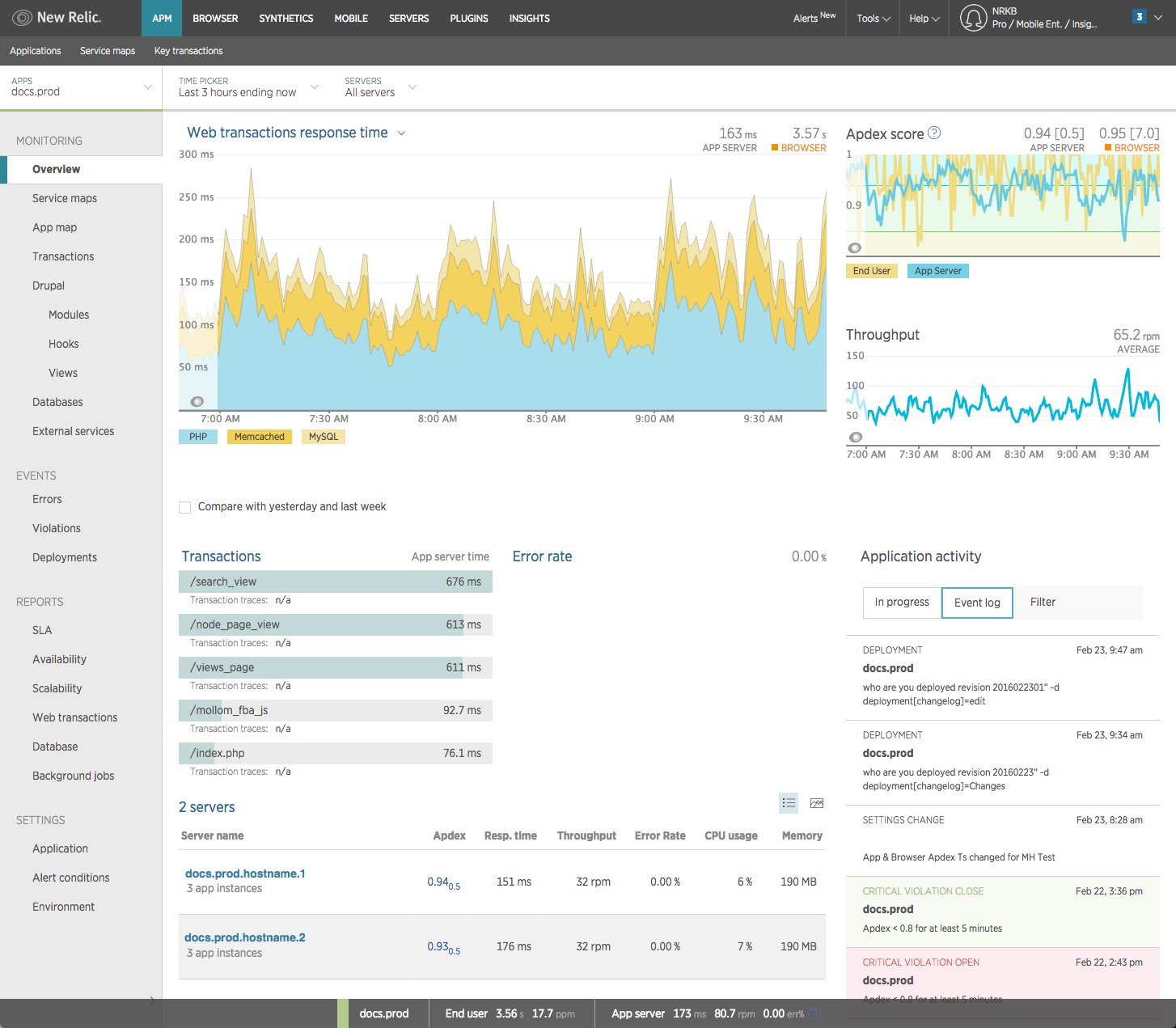
The New Relic PHP agent monitors your application to help you identify and solve performance issues. You can also extend the agent's performance monitoring to collect and analyze business data to help you improve the customer experience and make data-driven business decision.
Features
View the big picture of your app
- Monitor your app's Apdex (user satisfaction)
- Get a high-level summary of your app
- Create architectural maps of your app
Find errors and problems quickly
- Track key transactions
- Search and create customizable charts for the metric timeslice data most important to you, including any custom metrics you are sending to New Relic.
- Alert your team when errors or problems occur before they affect your users
- Track performance after a deploy
Drill down into performance details
- Examine code-level transaction traces
- Examine database query traces
- Examine error traces
View logs for your infrastructure data
Bring your logs and application's data together to make troubleshooting easier and faster. No need to switch to another UI page.
- With logs in context, you can see log messages related to your errors and traces directly in your app's UI.
- You can also see logs in context of your infrastructure data, such as Kubernetes clusters.
Analyze business data
Use the PHP agent to organize, query, and visualize your data to answer key questions about application performance and customer experience.
- Use default transaction attributes or add your own
- Query your data using NRQL
- Send your own event data
- Create and share customizable, interactive dashboards
Install the agent
Before you install the PHP agent, ensure your system meets the system requirements. The PHP agent supports many of the most common PHP frameworks, databases, and libraries. You can also use the agent in a Google App Engine (GAE) flexible environment.
Tip
If you are installing the agent on a shared hosting service, ensure you have root permissions to install the agent or contact your hosting provider for technical assistance.
For standard installations, see:
- PHP agent installation overview (the basic installation steps for the most common setups)
- Installing on RedHat or CentOS
- Installing on Ubuntu or Debian
- Installing with tar archive (generic method to use on any supported systems such as Linux variants, OpenSolaris, SmartOS, FreeBSD, macOS, etc)
- The newrelic-install script (how to use the interactive script that automates some installation tasks)
For other types of PHP installations and advanced installation topics, see:
- PHP agent installation: Non-standard PHP
- Starting the PHP daemon (a standard New Relic installation starts the daemon automatically, but you can also start the daemon manually)
- Silent mode for the install script
- Google App Engine (GAE) flex environment installation for New Relic's PHP agent